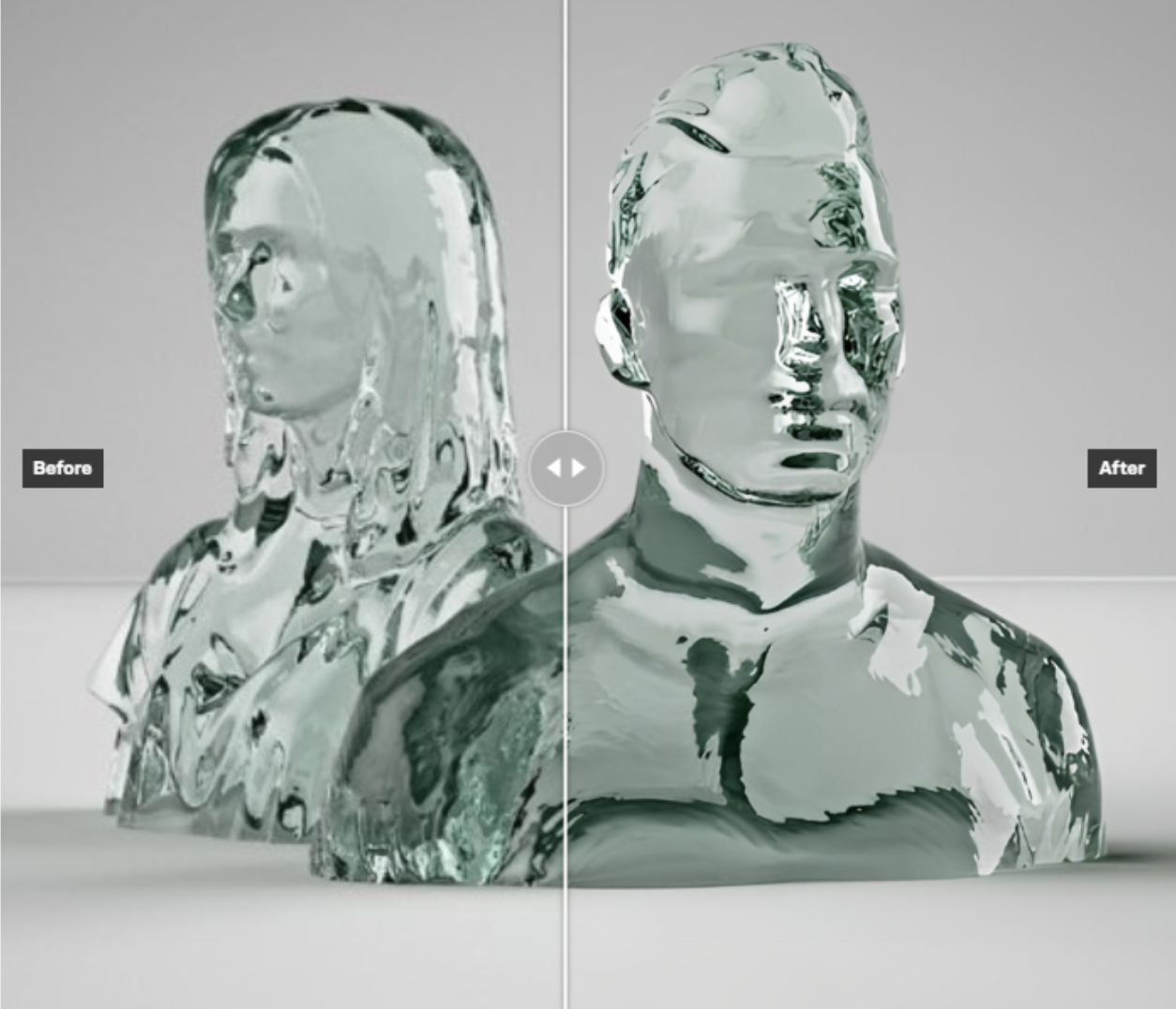
Upscale images 2x or 4x times
Frequently asked questions
What does Google Upscaler do?
Google Upscaler is an AI model that increases image resolution by 2× or 4× without degrading visual quality. Unlike traditional interpolation, it uses AI-driven inference to reconstruct fine details and textures, making it suitable for print production, high-DPI displays, and enhancing AI-generated or legacy images.
What is the difference between 2x and 4x upscaling in Google Upscaler?
2× upscaling doubles the pixel dimensions of your image (e.g., 1080p becomes 2160p), while 4× quadruples them. Choose 2× for moderate enlargements like web or screen use, and 4× when preparing images for large-format print such as posters, banners, or billboards where maximum resolution is critical.
What image formats and file sizes does Google Upscaler support?
Google Upscaler accepts a broad range of image types including photographs, AI-generated images, edited composites, and illustrations. It supports input files up to 10 MB in size, covering most standard creative and production assets used in professional workflows.
How many times has Google Upscaler been used on Replicate?
Google Upscaler has recorded over 1.2 million runs on Replicate, making it one of the most widely used and battle-tested image upscaling models available. This high usage volume reflects its reliability and consistent output quality across diverse image types and use cases.
Can I use Google Upscaler to enhance AI-generated images from Stable Diffusion or Flux?
Yes. Google Upscaler is ideal for upscaling AI-generated images. Models like Stable Diffusion and Flux typically output images at 512×512 or 1024×1024 pixels. Applying 4× upscaling brings these assets to print- and display-ready resolutions, making them suitable for professional production without visible pixelation or quality loss.
How do I control output file size with Google Upscaler?
Google Upscaler provides an adjustable compression quality scale ranging from 1 to 100, allowing you to fine-tune the tradeoff between output file size and image quality. Higher values retain more detail at the cost of larger files, while lower values reduce file size with some quality compression.
Is Google Upscaler good for restoring old or scanned photographs?
Yes. Google Upscaler is well-suited for restoring legacy assets such as old photographs, scanned artwork, and archival images. Its AI inference reconstructs detail lost over time or through low-resolution scanning, producing enlarged versions optimized for modern high-DPI screens and contemporary print standards.
Where can I access and run the Google Upscaler model?
Google Upscaler is available on CRAISEE, powered by the Replicate platform. It was created by Google and can be accessed directly through the CRAISEE interface, which provides a no-code environment for running the model on your images without requiring API integration or technical setup.